 |

|
|
|
|

Good: Clipboard History Pro is a Windows clipboard manager with optional cloud synchronization and AES encryption. Users can keep a repository of text items copied to the clipboard before. Frequently used w... (this pertains copy, paste, clipboard history, encryption, organizer, business, office, clipboard synchronization, clipboard manager, clipboard, ...) | Clipboard History Pro 3.40 [Home] - by: Outertech - Download 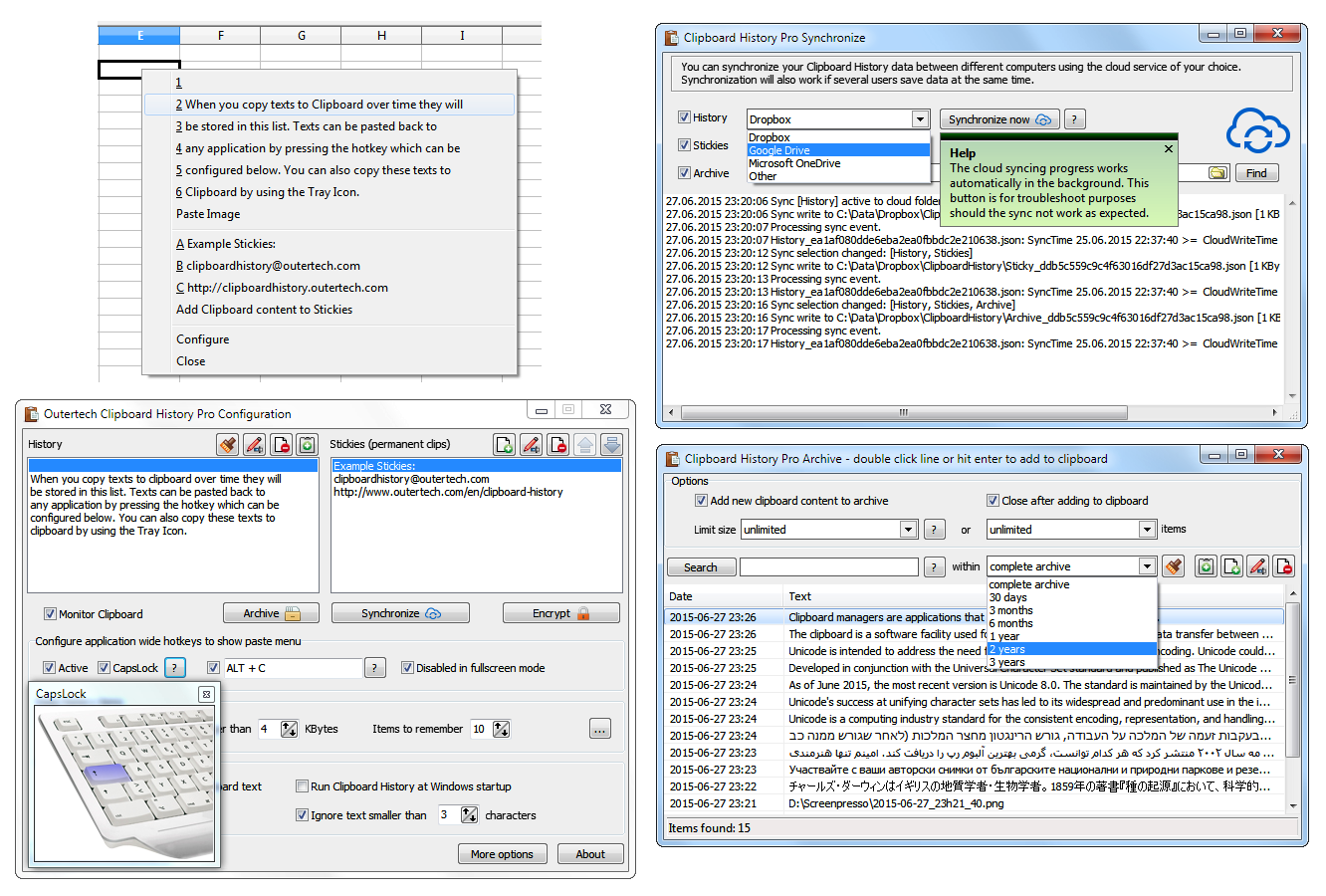 Click to enlarge Some words about Clipboard History Pro: Clipboard History Pro is a Windows clipboard manager featuring optional cloud synchronization and AES encryption. With Clipboard History Pro users can keep a repository of text items that they have copied to the clipboard before. Additionally, frequently used word phrases and snippets called stickies can be added to the global paste menu. Pressing a configurable hotkey, a tray icon, or the usually idle and useless CAPS LOCK key will bring up a paste menu of last clipboard items and saved text snippets. When using the hotkey or the CAPS LOCK key the clipboard history paste menu will be available in every Windows application. With Clipboard History Pro it's easy to set up clipboard content synchronization between multiple computers in less than a minute. The software has built-in support for Dropbox, Google Drive, OneDrive, and others. The synchronization process will also work perfectly in multi-user environments, even if several users add text to the clipboard at the same second. Best of all, Clipboard History Pro safeguards data using AES encryption. At the heart of Clipboard History is a handy archive feature. Every text ever copied to the clipboard can be stored away for future use. A powerful JSON database guarantees a high level of security and performance. Clipboard History has been vested with more than 1 million data records in the text archive. The archive can be searched by text and date. Search keywords can be combined and even excluded with the '-' sign. A search for foo -bar will find all archive items that contain the text foo, but don't contain the text bar. News, new features for this Major Update:
User's remarks, reviews, comments (Add your comment / review) | Download size: 3682 Kb Date: 08/03/2017 Program home Install/Uninstall: Install and Uninstall OS: Win2000, WinXP, Win7 x32, Win7 x64, Windows 8, Windows 10, WinServer, WinOther, WinVista, WinVista x64 Sys requirements: Windows 10,8.1,8,7,Vista or XP Language: English, Chinese, ChineseSimplified, ChineseTraditional, Finnish, French, German, Hungarian, Polish, Spanish, Swedish, Turkish |
See also in Desktop Enhancements: Clipboard Utilities
|


 Free Download: