 |

|
|
|
|

Good: MSEW allows you to create and configure up to 10 virtual screens to simplify switching between different tasks. Switching of virtual screens is performed by using the MSEW panel or by hot keys. This u... (this pertains multiple screens, multiple desktops, extra desktop, multiple, screen, virtual desktops, ...) | Multi Screen Emulator for Windows 2.0.2 [Homepage] - by: SiComponents - Download 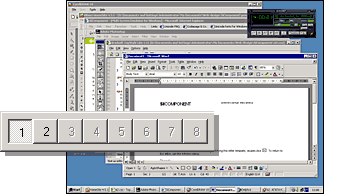 Click to enlarge Description: MSEW (Multi Screen Emulator for Windows) allows you to create and configure up to 10 virtual screens to simplify switching between different tasks. The switching of virtual screens is performed by using the MSEW panel or by hot keys. This useful tool allows you to distribute applications to different virtual screens and to manage switching among them quickly and effortlessly. For example, you could launch all your working tools, such as text editors, spreadsheets and engineering tools on one screen; use the second one for launching games and a third one to launch a slideshow or CD-player with pleasant music. The possibilities are endless. Download your free trial version now and discover all the possibilities of MSEW on your PC. Recent changes in this Major Update:
User's Reviews, Comments (Add your comment / review) | File size: 1622 Kb Date: 04/09/2008 Homepage Install support: Install and Uninstall OS: Win95, Win98, WinME, WinNT 4.x, WinXP, Windows2000, Windows2003, Windows Vista Starter, Windows Vista Home Basic, Windows Vista Home Premium, Windows Vista Business, Windows Vista Enterprise, Windows Vista Ultimate, Windows Vista Home Basic x64, Windows Vista Home Premium x64, Windows Vista Business x64, Windows Vista Enterprise x64, Windows Vista Ultimate x64 Sys requirements: No special requirements Language: English, German, Russian |
See also in Desktop Enhancements: Miscellaneous
|


 Free Download: