 |

|
|
|
|

Net Profile Switch 5.2 [Homepage] - by: JitBit Software - Download 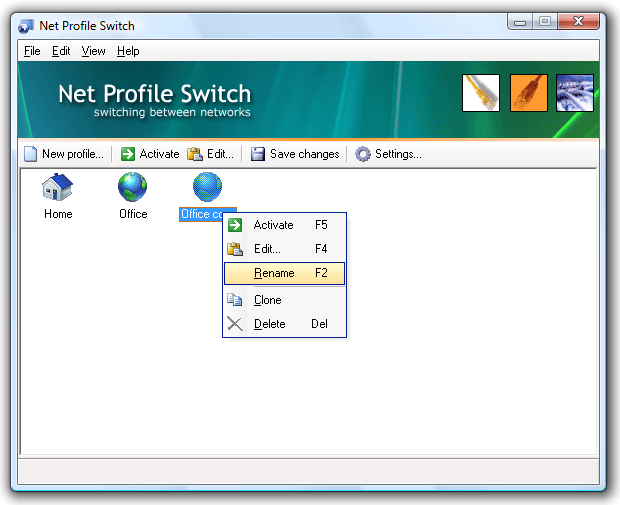 Click to enlarge Description: JitBit Net Profile Switch allows connecting a computer to two or more networks.. Ideal for laptop/notebook users, who travel from one network location to another. It switches a computer between multiple network configurations (profiles) with one click of a button. A profile can include LAN-settings (IP-address, DNS, gateway), your browser's proxy settings (supports Internet Explorer, Firefox and Opera), Windows Firewall settings, network drive mappings, default printer, SMTP-server and more. For example you can switch from a static to a DHCP assigned IP address, or switch one static IP address to another. Use your laptop/notebook on multiple networks: assume you have a DHCP-enabled network at your office, and a static IP-address assigned to your network card at home. Every time you connect your notebook or laptop to a new network, you have to change network adapter settings manually. But, wouldn't it be easier to store two profiles (called "office" and "home") and switch between these two profiles? If you deal with two or more locations, you can benefit from this net switcher utility which creates a profile with your configuration settings: TCP/IP-settings, browser-proxy (Firefox-compatible, Opera-compatible), network drives, default printer settings, SMTP server address etc. Then you can easily switch between locations by activating a profile. Recent changes in this Major Update:
User's Reviews, Comments (Add comment) | File size: 1279 Kb Date: 06/27/2007 Homepage Install support: Install and Uninstall OS: WinNT 4.x, WinXP, Windows2000, Windows2003, Windows Vista Starter, Windows Vista Home Basic, Windows Vista Home Premium, Windows Vista Business, Windows Vista Enterprise, Windows Vista Ultimate, Windows Vista Home Basic x64, Windows Vista Home Premium x64, Windows Vista Business x64, Windows Vista Enterprise x64, Windows Vista Ultimate x64 System requirements: Network interface Language: English |
See also in Internet and communication: Miscellaneous and all-in-one
|


 Free Download: