 |

|
|
|
|

Good: FoneLab is a professional iPhone data recovery program which can recover lost/deleted Messages, Contacts, Call History, Calendar, Notes, WhatsApp data, etc. from iPhone/iPad/iPod directly or from iTun... (this pertains recover data from iOS device, restore data from iTunes backup, recover iPhone files, recover data from iPhone, iPhone data recovery, ...) | FoneLab 8.3.12 [Home] - by: Aiseesoft Studio - Download 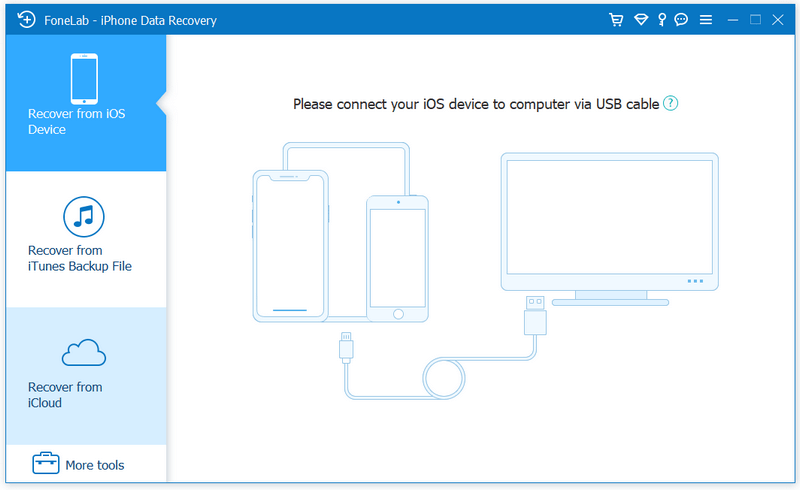 Click to enlarge Some words about FoneLab: FoneLab, as the best iPhone Data Recovery software, can recover lost/deleted Messages, Contacts, Call History, Calendar, Notes, WhatsApp data, Photos, etc. from iPhone/iPad/iPod and from iTunes backup files. It supports all portable iOS devices, including iPhone 6s/6s Plus/6/6 Plus, iPhone SE, iPad Pro, iPad mini 2, iPod touch, etc. And it allows you to preview your lost data before recovery. Key Functions: 1. Recover lost or deleted data from iPhone/iPad/iPod directly For iPhone 4/3GS, iPad 1 and iPod touch 4, FoneLab can recover your lost/deleted data before your device data is overwritten. Recoverable data includes Contacts, Messages, Call history, Calendar, Notes, Reminder, Safari bookmark, Camera Roll, Photo Library, Photo Stream, Message attachments, Voice memos. As for iPhone 6s/6/6 Plus/5s/5c/5/4S, iPad 4/3/2/Air, iPad mini/mini 2 and iPod touch 5, it can recover deleted Contacts, Messages, Call history, Calendar, Notes, Reminder and Safari bookmark. 2. Restore data from iTunes backup files No matter what type your device is, this iPhone data recovery can recover lost/deleted data as long as your device has been backed up with iTunes. So if your data was deleted incautiously or intentionally, you can get them back. 3. Protect iOS data from all circumstances No matter your device is locked, broken, dropped in the water, smashed or you lost data due to jailbreak, iOS update , you can recover all lost data back. 4. Preview files before recovery This data recovery software for iPhone/iPad/iPod allows you to preview deleted Photos, Text Messages, iMessages before recovery. It also allows you to rotate photos when previewing. 5. 100% safe and secure After the test of all popular antivirus programs, FoneLab is proved 100% clean with no malware nor virus. At the same time, FoneLab has intuitive and simple interface which can help you easily use it with no confusion, even for novice. News, new features for this Major Update:
User's remarks, reviews, comments (Add your comment / review) | Download size: 17817 Kb Date: 05/16/2016 Program home Install/Uninstall: Install and Uninstall OS: Win2000, Win7 x32, Win7 x64, WinOther, WinVista, WinVista x64, WinXP, Other Sys requirements: 1GHz Intel/AMD CPU or above, 512MB RAM or more. Language: English |
See also in Multimedia and Productivity: Media management
|


 Free Download: