 |

|
|
|
|

Good: Icecream Slideshow Maker makes creation of photo slideshows easy and intuitive for all categories of users. It features a number of effects and options for creating photo presentations with music from... (this pertains video slideshow, create slideshow, make a slideshow, slideshow software, free slideshow maker, slideshow maker, ...) | Icecream Slideshow Maker 2.11 [Home] - by: Icecream Apps - Download 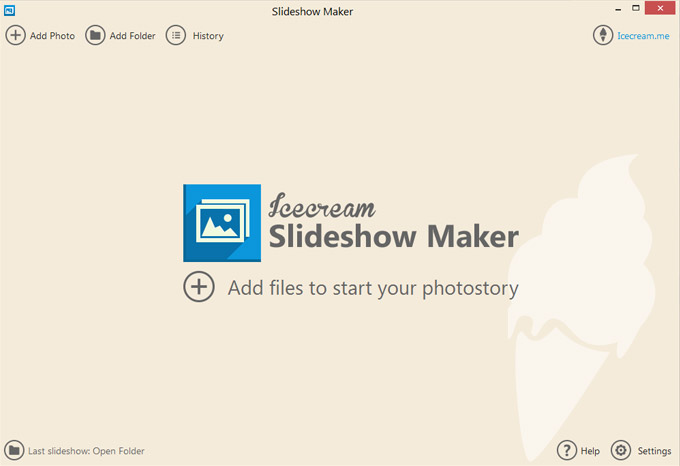 Click to enlarge Some words about Icecream Slideshow Maker: Icecream Slideshow Maker deals with JPG, JPEG, PNG and BMP images and helps you create stunning slideshows with zero experience. You do not need to spend hours to figure out how the software works as just a few clicks will help you create a slideshow presentation with audio which is close to perfect. The program lets you set the desired resolution for images and adapt them for a slideshow even if all of them were uploaded in different formats, sizes and quality. Besides, you can keep an original aspect ratio of the images to prevent their stretching or distortion. Otherwise, choose the Scale to fit option to adapt the file for the size of your screen. It is possible to set transition effects between the images to make the slideshow fancier. There are 26 effects available, for example Pixelate, Mosaic Spiral, Wipe, Zoom, and many more. If you do not care about the type of the effect, choose the Random option and the program will set a random effect. If you do not want to use any effects whatsoever, choose the None option and files will be displayed without transition effects. You can use different effects for each slide or set the same effect for all the files. Unlike the majority of free tools, Icecream Slideshow Maker is beautifully designed and appears to be an eye candy. Coupled with intuitive interface, its design makes the program a pleasure to use. News, new features for this Major Update:
User's remarks, reviews, comments (Add your comment / review) | Download size: 31929 Kb Date: 08/19/2016 Program home Install/Uninstall: Install and Uninstall OS: Win2000, WinXP, Win7 x32, Win7 x64, Windows 8, Windows 10, WinServer, WinOther, WinVista, WinVista x64 Sys requirements: 1.66Ghz processor; 512MB of RAM; 30MB to 300MB of free disk space Language: English, Afrikaans, Arabic, Armenian, Bulgarian, Burmese, Byelorussian, Chinese, ChineseSimplified, Croatian, Czech, Danish, Dutch, Estonian, Finnish, French, Georgian, German, Greek, Hungarian, Icelandic, Indonesian, Irish, Italian, Japanese, Kazakh, Korean, Latvian, Lithuanian, Malay, Maltese, Mongolian, Norwegian, Polish, Portuguese, Romanian, Russian, Serbian, Singhalese, Slovak, Slovenian, Spanish, Swedish, Tagalog, Thai, Turkish, Ukrainian, Vietnamese |
See also in Multimedia and Productivity: Presentation tools
|


 Free Download: