 |

|
|
|
|

Good: VideoDetach Pro extracts all elements from a video file, be they in the form of images, sounds or even other videos. This multipurpose video software is beneficial to perform almost all tasks that you... (this pertains cut video, video to audio, extrac image, detach video, ...) | VideoDetach Pro 1.2.3 [Home] - by: DanDans Digital Media - Download 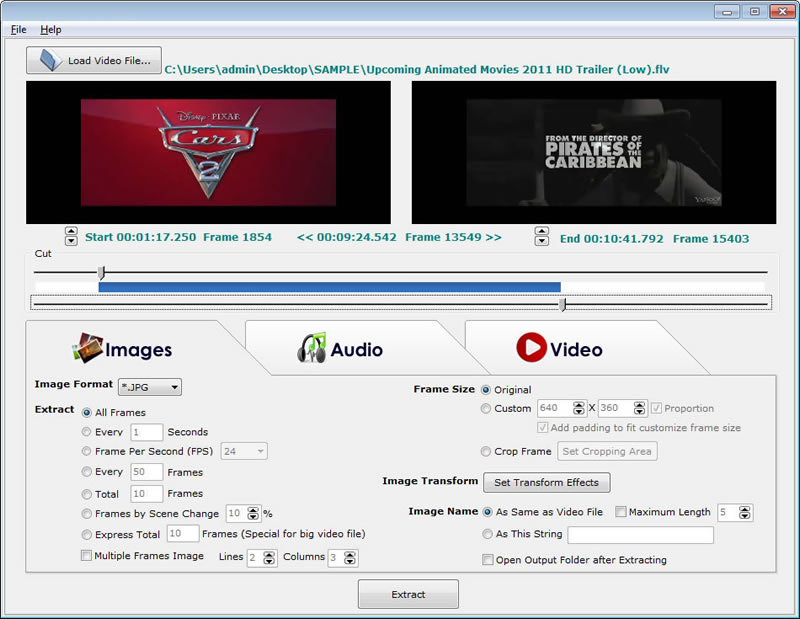 Click to enlarge Some words about VideoDetach Pro: VideoDetach Pro extracts all elements from a video file, be they in the form of images, sounds or even other videos. This multipurpose video software is beneficial to perform almost all tasks that you could perform from a video file. Features: Simple and straight-forward interface. Extracts Images, Audio, Video, from the whole video or a section of it. Sliders to choose start/ end position. Buttons to choose exact start/ end frame. Choose output directory and file name. Images: You can select the output format - JPG, BMP, GIF, TIFF, PNG, and more. You can extract the images in a number of ways, choose the frame size and apply Transform Effects. Audio: Adjust the Sound Volume and Sound Tempo then click on Extract, enabling you to select the file name, output directory and select a format - WAV, MP3, AIFF and more. Video: Adjust audio preferences, set a custom Frame Size, can use any Transform Effects, and adjust the playback speed. The extracted format can be AVI, WMV, MOV, MPG, MP4, 3GP and more. News, new features for this New Release:
User's remarks, reviews, comments (Add your comment / review) | Type: Freeware Download size: 7465 Kb Date: 05/07/2014 Program home Install/Uninstall: Install and Uninstall OS: Win2000, Win7 x32, Win7 x64, Win98, WinServer, WinVista, WinVista x64, WinXP Sys requirements: P166 64M Language: English |
See also in Multimedia and Productivity: Video Editors and Authoring
|


 Free Download: