 |

|
|
|
|

Good: O&O DiskImage is a reliable and affordable solution for protecting your personal and professional data. It offers everything needed to protect your data the best way possible. You have it all: fro... (this pertains virtual pc, baremetal, windows pe, diskimage, o amp, restoration, imaging, backup, disk image, image, ...) | O&O DiskImage Professional Edition 5.6.18 [Home] - by: O&O Software GmbH - Download 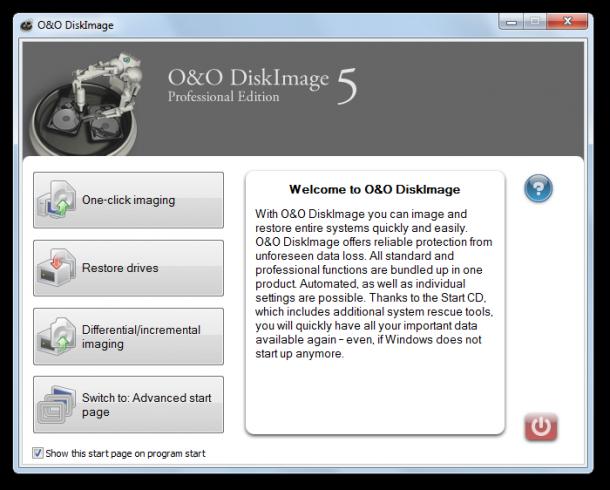 Click to enlarge Some words about O&O DiskImage Professional Edition: O&O DiskImage is a reliable and affordable solution for protecting your personal and professional data. It offers everything needed to protect your data the best way possible. You have it all: from the imaging and restoration of entire server systems to the restoration of individual files. Along with a finer tuning of existing program components, you'll find quite a number of new and helpful features waiting for you in Version 5.NEW: One-click-imagingOne-click imaging is the fastest and easiest way of creating a complete image of all your data and settings, including the system partition. One-click imaging is especially useful if you are using O&O DiskImage for the very first time or have never created an image of your computer. NEW: M.I.R.- Machine Independent RestorationThe Machine Independent Restoration technology allows you to perform restoration of system images on differing types of hardware. This means that a restoration of a system images or clones can be carried out not only on devices with identical hardware, but on ones where, for example, the motherboard or processor has been replaced. You can read more about this in the document "Machine Independent Restoration".NEW: Email notification about the running of tasksThe notification feature is an option that will keep you informed about the status of a task such as the running of a job. You'll also be immediately notified about errors so that you can identify and resolve them faster.NEW: Improved user guidance with the Information BarThe Information Bar guides you through selected tasks and lets you know what to do next. It'll also provide important information about the running of tasks. You also have the option of hiding the Information Bar. News, new features for this Minor Update:
User's remarks, reviews, comments (Add your comment / review) | Download size: 20725 Kb Date: 06/01/2011 Program home Install/Uninstall: Install and Uninstall OS: Win7 x32, Win7 x64, WinVista, WinVista x64, WinXP Sys requirements: 512 MB RAM, 50 MB free disk space Language: English, German |
See also in Utilities and Hardware: Backup
|


 Free Download: