 |

|
|
|
|

Good: If you are looking for the best reliable way how to erase hard drive data, then you should look no further than Active@ KillDisk. This program requires absolutely no special knowledge but meeting 24 d... (this pertains data sanitization, free killdisk, killdisk, kill disk, how to erase hard disk, erase hard drive free, how to erase a hard drive, hard drive eraser, erase hard drive, how to erase hard drive, ...) | Active@ KillDisk 24 [Home] - by: LSoft Technologies Inc. - Download 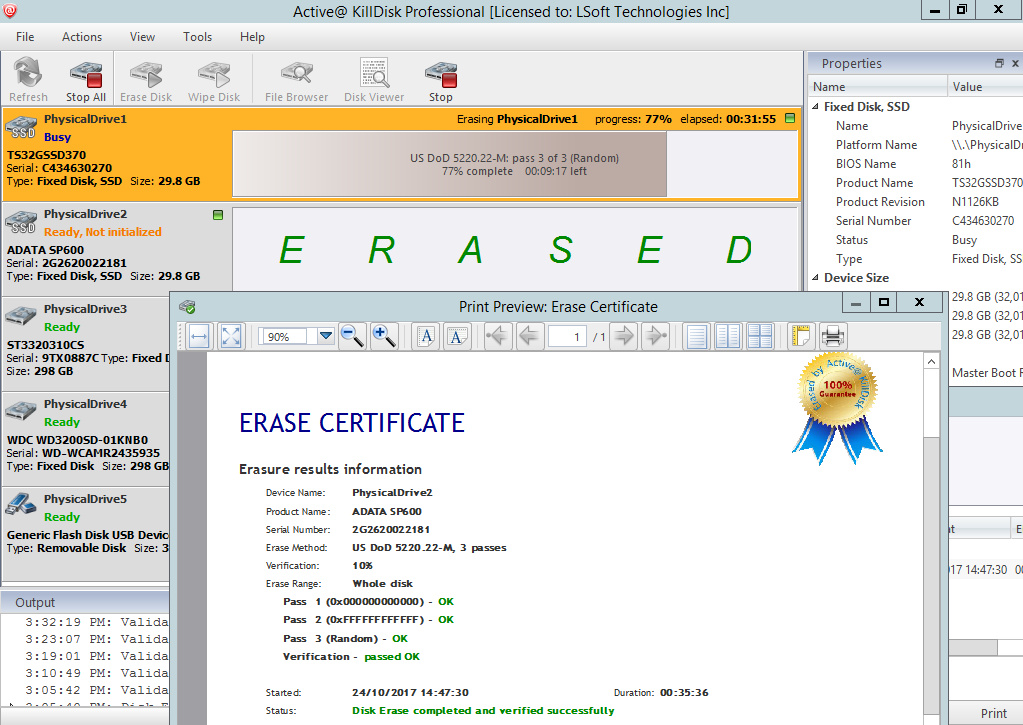 Click to enlarge Some words about Active@ KillDisk: Active@ KillDisk is a secure data removal program that provides the perfect solution to anyone who is either donating their computer or selling it to someone else and wants to ensure that their private data has been properly deleted. It is also ideal in any other situations where you want to ensure that deleted data stays deleted in such a way that it can never be recovered. If you want to know how to erase hard drive data or data stored on any other type of device, then Active@ KillDisk provides the solution that you need. The program supports hard drives, SSDs, USB drives, flash memory cards, SCSI drives, ZIP drives and more. It operates from its own bootable environment. Active@ KillDisk supports 24 security standards including DoD 5220.22-M. Active@ KillDisk erases all data on HDD and USB disks completely (the process removes ALL data from a physical disk(s) or logical drive's surface), also Active@ KillDisk can wipes out all unused space on disks, not touching existing data. Large sized RAIDs (disk arrays) sanitizing supported as well. The Ultimate version includes complete Linux Installation instead of just TAR archive. Its console supports Secure Erase - a low level ATA command for hardware erasing. News, new features for this Major Update:
User's remarks, reviews, comments (Add your comment / review) | Download size: 115965 Kb Date: 01/26/2024 Program home Install/Uninstall: Install and Uninstall OS: Win2000, WinXP, Win7 x32, Win7 x64, Windows 8, Windows 10, WinServer, WinOther, WinVista, WinVista x64 Sys requirements: 38MB free disk's space; 1GB RAM to run Boot Disk. Language: English |
See also in Utilities and Hardware: File and Disk Management
|


 Free Download: