 |

|
|
|
|

Good: Print Censor Professional makes it easy to view, control and restrict printer usage on the network, leading to significant savings by eliminating duplicate, restricted and prohibited print jobs. The p... (this pertains printer monitor, print activities, printer usage, ...) | Print Censor Professional 5.60 [Home] - by: Usefulsoft - Download 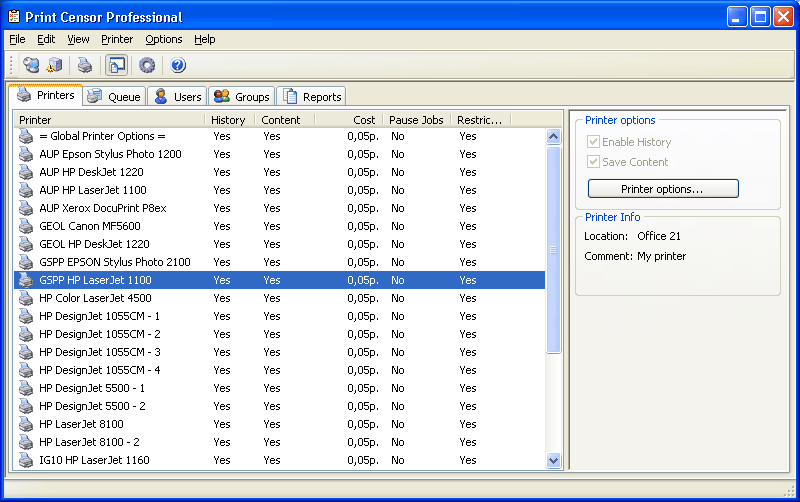 Click to enlarge Some words about Print Censor Professional: Control your printer use and prevent excessive printer usage. Print Censor Professional allows easily viewing, controlling and restricting printer usage on the LAN, helping you save hundreds of dollars in supplies by getting rid of duplicate, restricted and unauthorized print jobs. The printer usage monitor can be controlled easily from any computer on the LAN. Set group and user restrictions on printer usage, assign and modify printing quotas, pause or stop new print jobs, etc. Get control of your printing costs! Print Censor Professional offers highly adjustable printing cost settings based on media type and size, type and name of each printer on your LAN. You can put on hold or moderate new print jobs before they go through, which leads to considerable savings in case of large printing jobs and expensive toners and stationery. Savings are easy when you control printer usage with Print Censor Professional. Control how many jobs or sheets each user or group of users on your LAN can print. Quotas and restrictions are easy to set and to lift without leaving a chair: Print Censor Professional allows controlling printer usage from any network computer on your LAN. View who printed what, when, and on which printer with Print Censor Professional advanced printer usage monitor combined with a comprehensive log analyzer. Controlling multiple printers is just as easy as managing a single one. The advanced print queue manager controls all connected computers, and allows copying and transferring of printing jobs between the printers. Print Censor Professional is not just a monitor managing your printer usage. It can communicate to the users by informing them if their printing job is under review, has been allowed, rejected or finished. News, new features for this Major Update:
User's remarks, reviews, comments (Add your comment / review) | Download size: 3954 Kb Date: 03/22/2013 Program home Install/Uninstall: Install and Uninstall OS: WinXP, WinVista, WinVista x64, Win7 x32, Win7 x64, Win2000, Windows2000, Windows2003, WinServer, Windows Vista Ultimate, Windows Vista Ultimate x64, Windows Media Center Edition 2005, Windows Vista Starter, Windows Vista Home Basic, Windows Vista Home Premium, Windows Vista Business, Windows Vista Enterprise, Windows Vista Home Basic x64, Windows Vista Home Premium x64, Windows Vista Business x64, Windows Vista Enterprise x64 Sys requirements: A standard Windows XP/2003/Vista/2008/7 Language: English, Arabic, Armenian, French, German, Greek, Italian, Japanese, Polish, Russian, Spanish |
See also in Utilities and Hardware: Printers
|


 Free Download: