 |

|
|
|
|

Good: Backup & Move Outlook PST file with all attributes & settings using Remo Outlook Backup & Migrate. It provides one-click & selective backup options to copy all or selected attributes l... (this pertains backup outlook pst, backup outlook 2003, backup outlook 2000, outlook migration, migrate outlook to new computer, backup outlook vista, backup outlook accounts, backup outlook settings, backup outlook, outlook backup, ...) | Remo Outlook Backup & Migrate 1.0.0.66 [Home] - by: Remo Software - Download 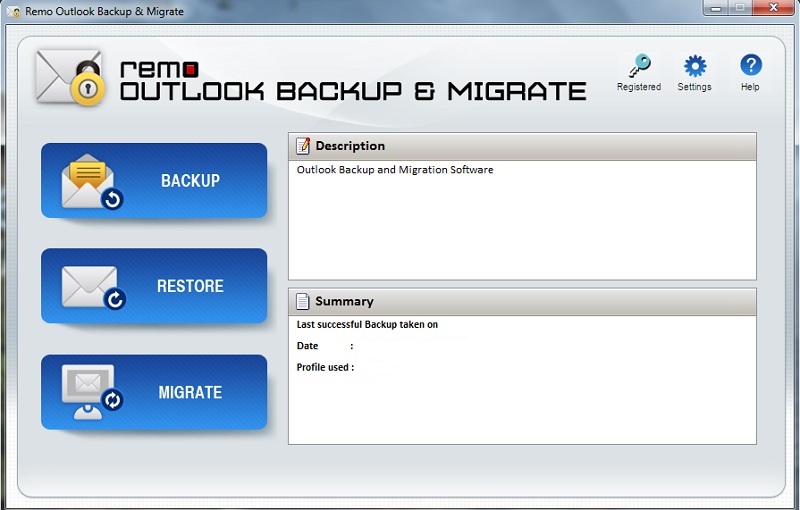 Click to enlarge Some words about Remo Outlook Backup & Migrate: Remo Outlook Backup & Migrate will help you backup, restore and even move entire Outlook PST file with all its attributes and settings. It can be your emails, contacts, calendar items, journals tasks or any other attributes the software backs up everything and helps in restoring them back in cases of PST file corruption or if any Outlook items are deleted. It offers two backup options like:Smart Backup: To backup entire Outlook PST file with all attributes & settings in just one click.Advanced Backup: Offers you select required attributes & copies only those selected items. Its in-built scheduler assists users to schedule automatic backups on weekly, daily or monthly. In addition, the backup copy can be locked with a password, compressed to any levels or the archive can be split and saved at any locations as per the available storage space. Also, it lets you create 4 restore points to ensure complete data is restored. In addition, Remo Outlook Backup and Migrate software assists you while moving your Outlook data to a new or another desktop / laptop, to upgraded Windows or Outlook version securely. Outlook versions supported: Outlook 2003, 2007, 2010, 2013 & Office 365Windows versions supported: Windows 10, Windows 8.1, Windows 8, Windows 7, Vista, XP, Windows Server 2003 / 2008 / 2012.Situations in which Remo Outlook Backup & Migrate can be used:- To prevent Outlook data loss by backing up all attributes - Restore back the backed up Outlook data in cases of PST corruption or deletion of any attributes- Move Outlook from older Outlook to higher Outlook version including Office 365- Transfer Outlook attributes to any latest Windows version including Windows 10- While formatting hard drive or reinstalling Windows OS- When switching to a new / another computer or laptop Its friendly interface and handy options lets even the novice users to manage and move their Outlook data easily and comfortably News, new features for this Major Update:
User's remarks, reviews, comments (Add your comment / review) | Download size: 9064 Kb Date: 07/22/2015 Program home Install/Uninstall: Install and Uninstall OS: Win7 x32, Win7 x64, WinServer, WinVista, WinVista x64, WinXP Sys requirements: Minimum 512MB RAM, 50MB free disk space (for installation) Language: English |
See also in Utilities and Hardware: Backup
|


 Free Download: