 |

|
|
|
|

Good: An easy and productive way to create SEO friendly drop down menu, JavaScript menu without writing code. Rich templates and preset styles let you create professional DHTML menus in no time. Support mak... (this pertains dhtml menu, menu design, web menu, javascript menu, drop down menu, drop down menu, ...) | Sothink DHTML Menu Builder 9.3 [Homepage] - by: SourceTec Software - Download 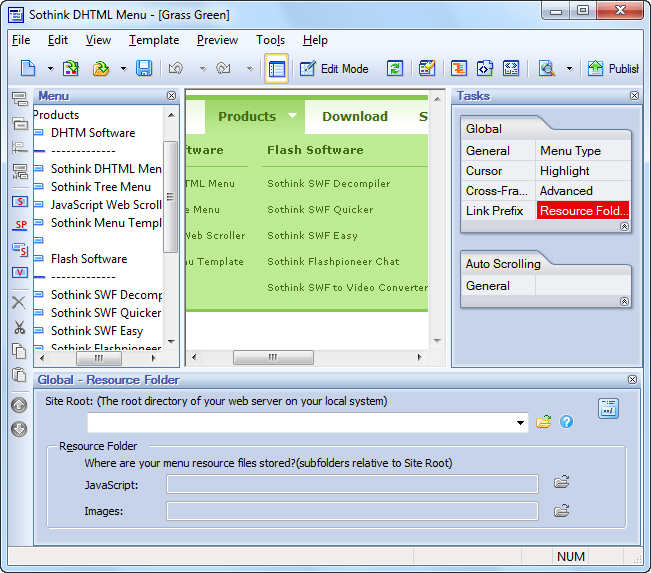 Click to enlarge Description: Professional drop down menus will undoubtedly add appeal to your website and make the site navigation more effective. Sothink DHTML Menu is a simple yet powerful drop down menu builder. It helps you get rid of the conventional large quantities of scripting work, but offers an easy and productive way to create attractive SEO friendly drop down menus, JavaScript menus without any JavaScript programming. Rich built-in templates and preset styles will help you to design good-looking, professional, and fast-loading DHTML menus in just a few minutes. Even amateur web menu designers can make advanced drop-down menus easily. This outstanding JavaScript menu builder supports making database driven JavaScript menus with ASP, PHP, JSP, ASP.NET, ColdFusion and more. You can also create various functional menus like tab menu, multi-column menu, etc. Menu appearance can be fully customized. Good integration lets you add menus to your web pages using your existing HTML editor. Perfect Compatibility * Full cross-browser compatibility: supports the latest version of IE, Google Chrome, Firefox, Opera and Safari. * Seamlessly integrates with Dreamweaver, Front Page, Expression Web and Adobe GoLive as add-ins. Diverse Functional Menu * Easily creates functional menus, such as tab menu, highlight menu, scrolling menu, cross-frame menu, multi-level/multi-column menu, custom menu, floating menu, right-to-left menu, keyboard navigation menu, etc. Flexible Customization * Customizes menu properties, like font, icon, background, border, cursor, tool tip, surround, effects, alignment, transparency, size, etc. * Selects and edits images as icon, arrow, background and separator from Image Library and Background Library. High Usability * Offers rich built-in templates, styles and image library. * Publish wizard guides you to publish the drop down menu to website step by step. * Any HTML code can be used within menu item. * Supports W3C Valid XHTML 1.0. Recent changes in this Minor Update:
User's Reviews, Comments (Add your comment / review) | File size: 6358 Kb Date: 03/03/2010 Homepage Install support: Install and Uninstall OS: Win2000, Win7 x32, Win7 x64, Win98, WinVista, WinVista x64, WinXP Sys requirements: 32M memory, Internet Explorer 4.01 or later Language: English |
See also in Web: Java and Javascript
|


 Free Download: